Just for a minute imagine yourself being a developer who’s rolled out a device or application. Of course, now you want to learn what functions users will be using and how often, what issues and errors they will encounter. Such information will allow you to enhance your solution and drive up sales.
To accomplish that task, you have several choices. You can survey your users and collect their answers. In this event a user provides only the data he wants to share. We use this method collecting information about Panic Button. You can take a look at our survey at https://panicbutton.pw/survey/.
However, this method has obvious disadvantages: first, users share their information reluctantly, second, they are often unable to objectively assess the information about the functionality they use. Third, many errors are unseen and unclear to users, and they can be discovered only using software.
The advantages: no unsanctioned user data collection is taking place in this case, and you also have an opportunity to explore user satisfaction telemetry can find out only indirectly.
An automated collection of telemetry data has indisputable advantages over surveys: it provides all the required information about user, including the system’s version, configuration and application’s version, location, consumption of resources, CPU load and a lot of other information. You can get a detailed list of all the options being used, time of use, technical data about all errors and application crashes.
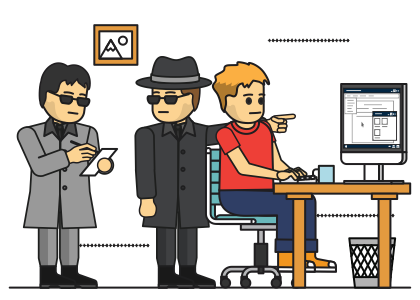
From there all the information is sent to the server and automatically processed. This raises an interesting question, Isn’t the line between telemetry collection and cyber spying too fine? Should you link the information to a certain user or just impersonalize data?
For instance, if the application collects the information about all the sessions you have launched and send it without linking it to you specifically, we are dealing with telemetry. If the data is somehow linked with you, we are talking about cyber spying. The application can know your email, but it is not required for collecting data to improve the application. However, your email is required if it performs a targeted collection of information about you.
In our opinion, telemetry should be collected without any identification of users, be it their email or IP address. It is possible to use an identifier that’s not linked with the user whatsoever, that shouldn’t be static and should be updated in a given amount of time or every time a new session is run.
When the data are delivered and processed, they should be impersonalized... However, you understand that it is impossible to check everything. Anyway, this data doesn’t arrive anonymously, the IP address of the device from where it is sent is linked to this data. This IP address may be further removed, as Mozilla promises us, or saved though it doesn’t offer any value as far as application improvements are concerned. One way or another, you won’t be able to check if the information about your IP address is deleted or not.
Many experts, when distinguishing between cyber spying and telemetry collection, recommend sticking to the goal of data collection and use it as the basis for separating cyber spying and telemetry data collection. If you pursue the goal of enhancing the performance of your application, get an insight into how users use it – you are involved in telemetry. If you target users themselves, their data and activity, it’s cyber spying. In my opinion, this is arguable though I can’t help agreeing to some of this rationale.
For instance, if the browser collects data about all the websites the user has visited, this hardly resembles telemetry as similar information won’t affect the performance of the application at all, this is just data collection that will be probably sold off for profit.
The bad thing is when you encounter closed source software because in this case you won’t know what data exactly the application is sending as they are often held encrypted. Of course, tracking queries will allow you to identify where they are going and how frequently, but this information is obviously not enough.
So we can’t check what exactly the application is sending and how it stores data. As a rule, this is mentioned in the privacy notice, however, as you have probably guessed, it may contain unreliable information.
Examples of telemetry data collection
Let’s distinguish telemetry by the source used for obtaining it: data collection by programs, operating systems and devices. Of course, when it comes to devices, telemetry data is collected by the software pre-installed by the developer.
Let’s start with a program and use the browser Mozilla Firefox as an example. You won’t believe me if I told you what their policy notice says, so let me just copy the information the browser passes on about you by default (available on the official website).
Interaction data: Firefox sends data about your interactions with Firefox to us (such as number of open tabs and windows; number of webpages visited; number and type of installed Firefox Add-ons; and session length) and Firefox features offered by Mozilla or our partners (such as interaction with Firefox search features and search partner referrals).
Technical data:Firefox sends data about your Firefox version and language; device operating system and hardware configuration; memory, basic information about crashes and errors; outcome of automated processes like updates, safebrowsing, and activation to us. When Firefox sends data to us, your IP address is temporarily collected as part of our server logs.
The alarming thing is that this comes from Mozilla, the company that celebrates openness, respect for personal data and privacy. You can learn how other browsers spy on you in the chapter devoted to browsers, and, unfortunately, this knowledge will probably make you feel uneasy.
When we mention operating systems, Windows is what probably comes up first in your mind, but since we mention it pretty often in this course, let’s take a closer look at macOS this time.
Launched in summer 2014 macOS Yosemite sent the location and search information every time a user typed in his query in Spotlight - to Apple’s servers. So when a user searched for a file on his macOS, Apple knew when it was searched, where and what the file’s name is. The data were sent as a user typed in information, so as soon as a user started entering a query, it was immediately sent to Apple along with his exact location.
When it comes to laptops, I think what Lenovo is doing to users should be discussed in the chapter on malicious software. Meanwhile, let’s take a closer look at HP laptops.
In 2017 HP customers around the world reported that HP had installed the HP Touchpoint Analytics Service on their devices. It was installed stealthily, without permission, and harvested telemetry information. So HP customers became the participants of a large-scale telemetry data collection program. What data specifically? We don’t know, but there is a rumor that the spyware records even key an HP user presses on his keyboard. Fortunately, this problem is easily resolved by removing the spying software.
How to protect yourself from telemetry data collection
There are several ways to protect yourself: drastic, somewhat drastic and trust-based. If you are taking a drastic way, you are just quitting the software that collects information about you. It is not always applicable and not the best choice for users.
If you take a somewhat drastic way, you can block the delivery of data to the servers. In this event the IP addresses to which your application sends queries are determined and then blocked, or you can forbid your application to send any notifications. We’ll use the latter to restrict the overwhelming desire of Windows 10 to know everything about you.
In this course you will learn how to run an analysis of applications’ queries and block them using a firewall. This is an effective method, but it has a downside to it: not all applications can be blocked, for instance, you won’t like how your browser performs unless it is connected to the Internet or lack of important updates…
If you choose to simply trust developers, you just disable data collection and its sending in the application’s settings. Often this works perfectly, you will apply this method to restrict data collection in Mozilla Firefox browser.
Just don’t pin all your faith on it. For instance, in 2017 Google was reported to collect data about the location of Android smartphones even with enabled privacy settings. The coordinates were identified using the location of the nearest cell towers and sent to Google’s servers.